Fast PDF page management and markup. OCR on demand. No wait.
A focused Windows desktop PDF editor. Open several PDFs as tabs, reorder, combine, and delete pages, then drop highlights, rectangles, and lines, all instantly. Open an A1 engineering drawing and work without the Acrobat lag.
Windows 10 / 11 · free and open source · your files never leave your PC
Built by Lucas Ruiz
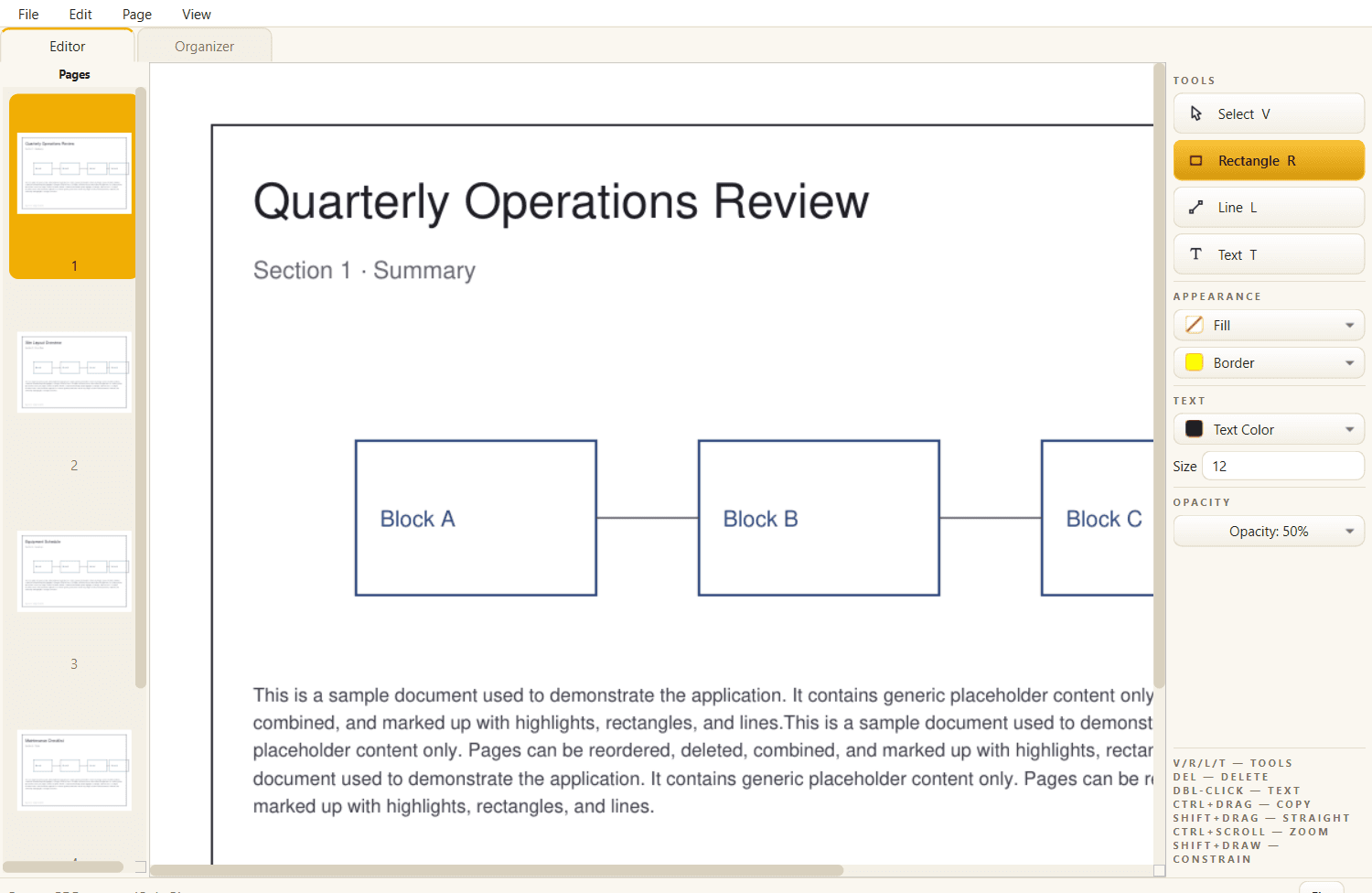
The two things that matter, done instantly.
Acrobat runs OCR and form-field detection every time it opens a file. Rapid PDF skips all of it and does only what field work needs: reorganize pages and add markup, now across as many documents as you have open.
Document tabs
Several PDFs open at once, one tab each. A second file gets its own tab instead of having its pages appended to the one you are reading. Drop a PDF on the window and it opens there too.
Several windows
Ctrl+Shift+N for a new one, or drag a tab off the bar and it tears into a window that follows your cursor. Drop it on another window's tab bar to dock it there.
Pages between tabs
Drag a page out of one document and into another in the same window, from the thumbnail strip or the Organizer. Hold Ctrl at the drop to copy instead of move. Unsaved markup travels with it.
Pan and fit
Press H for the pan tool, hold Space, or drag with the middle button. Fit page, fit width, fit height, and 100% sit as four icons in the status bar.
Page manager
Open, combine, reorder, delete, and add pages from a thumbnail grid. Drag to reorder, double-click to jump into the canvas.
Markup tools
Highlight, rectangle, and line annotations with an Office-style color picker, opacity presets, and line weights.
Object editing
Select, move, and resize with 8-point handles. Ctrl+drag to duplicate, marquee group-select, copy/paste, full undo/redo.
Embedded-image lift
Grab an image baked into the page and move or resize it like any other object, with no white hole left behind.
Faithful saves
Markup is written as PDF-spec annotation objects on the original page. Nothing is re-encoded, resized, or clipped.
Picks up where you left off
Turn on session restore under Startup in Preferences and last run's windows and tabs come back, on the screen, page, and zoom you left them. Each one is read when you first look at it.
Preferences
Ctrl+, opens the lot on one page: theme, startup, where file dialogs open, what the X button does, and the fit a document opens at. Every control applies as you touch it.
Instant, always
Nothing scans on open, so even a large A1 engineering drawing loads and edits without the wait. Need searchable scans? Run Enhance for Search whenever you choose.
Two views. Nothing in your way.
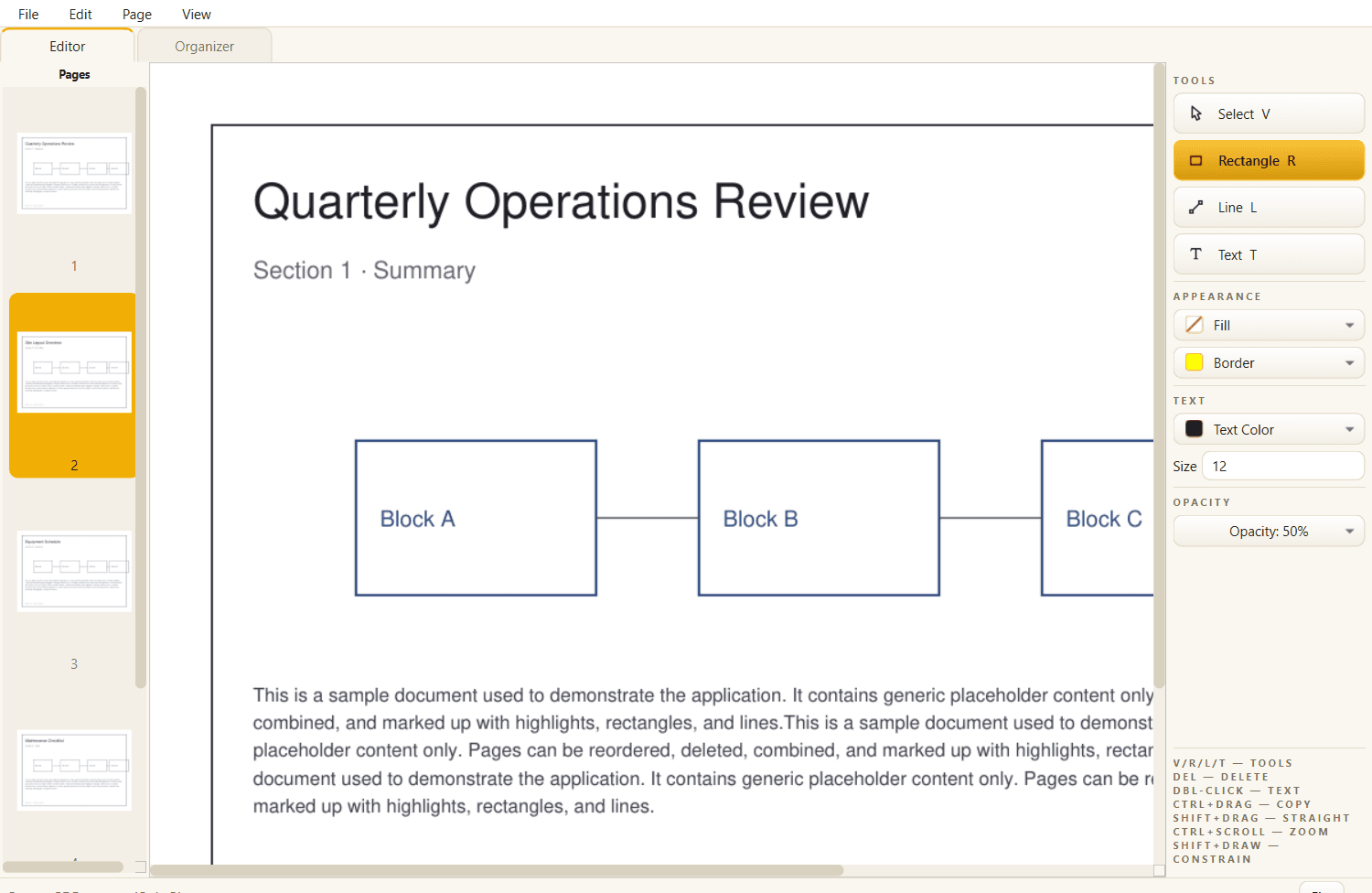
Editor
Toolbar on the right, thumbnail strip on the left, the page in the middle. Pick a tool and draw.
Organizer
Every page as a card. Drag to reorder, select to delete, add pages from another PDF.
Download Rapid PDF 2.0.0
A per-user installer, no admin prompt. Adds a Start-menu entry, an optional desktop shortcut, and a clean uninstaller. Prefer no install? The portable zip is the same app in a folder: unzip it anywhere and run rapid-pdf.exe.
The build is currently unsigned, so Windows SmartScreen may warn on first run. Click More info → Run anyway. Code signing is on the roadmap.
Built by Lucas Ruiz
I build AI agents and automations that kill manual work.